
Activate or deactivate repetition
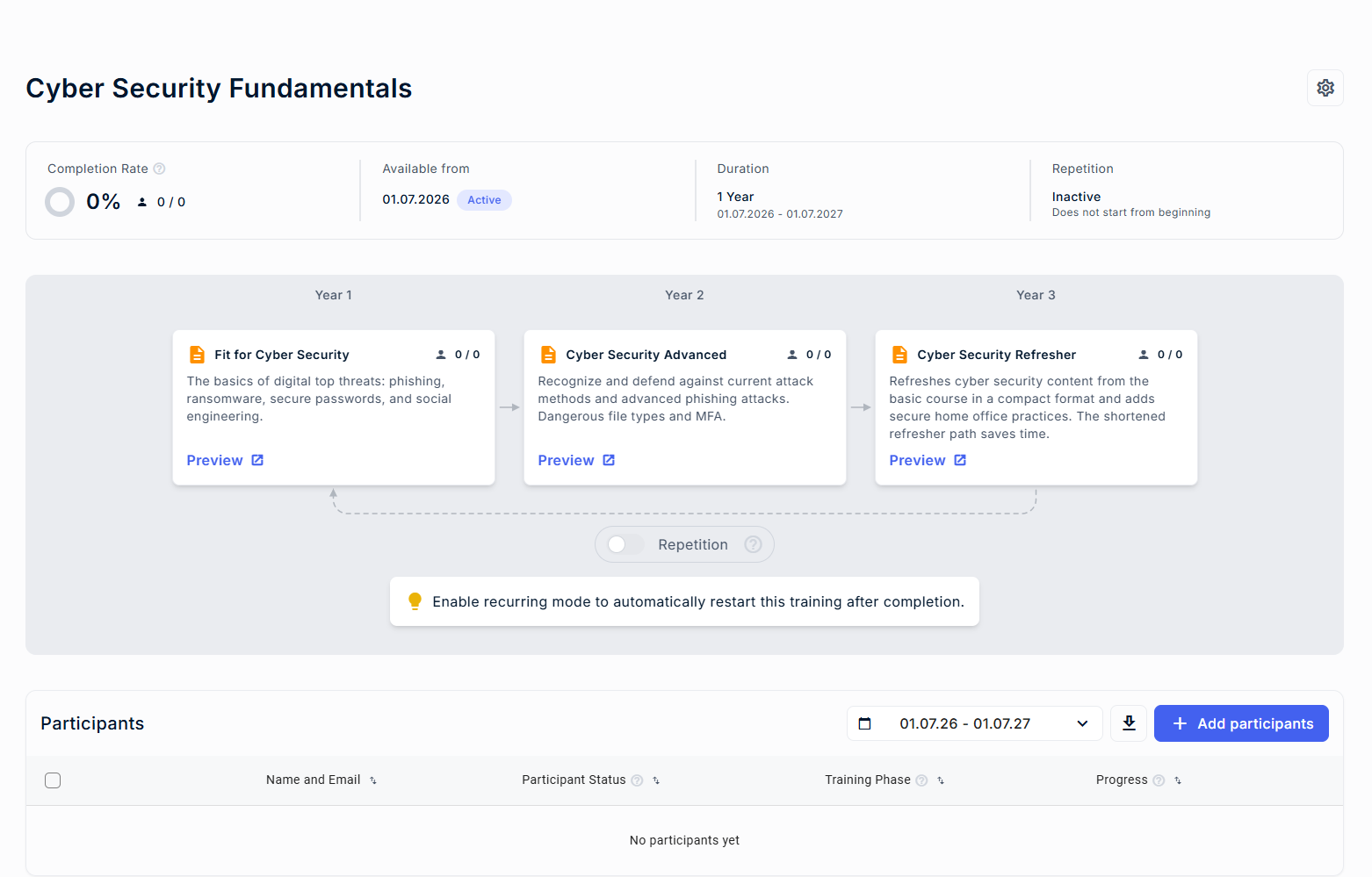
The Repetition toggle allows you to decide whether a training should automatically restart after completion. This helps you ensure that trainings can be repeated regularly.
Where to find the setting
- Go to the Dashboard page
- Open an active or scheduled training
- You will find the “Repetition” toggle above the Participants area
Activating repetition
You can activate repetition as long as no participant has completed all phases of the training.
Once at least one participant has completed all phases, the option can no longer be activated.
When you activate repetition:
- Participants will automatically restart from the first phase after completing the final phase.
- You can turn this setting off again later.
Deactivating repetition
If repetition is active, you can turn it off at any time.
After deactivation:
- Participants will not restart from the beginning after completing the final phase.